WP Links: Reclaim and Reassign Licenses Instantly
Migrating a client site or shutting one down usually means a license gets stuck for good. WP Links lets you pull that license back into your pool and reassign it to another site in seconds.
What Is WP Links?
WP Links is a WordPress plugin and centralized dashboard that manages the links on your site while also solving a licensing problem most plugins ignore. Every site has internal and external links, and it is nearly impossible to manually confirm they all work, carry the right REL and TARGET attributes, and avoid pointing to malicious destinations. WP Links checks and fixes all of that from one dashboard.
But the feature that sets it apart from other link and SEO plugins is how it handles licenses across multiple sites. Agencies and site owners who manage several WordPress installs constantly run into the same wall: a client site gets migrated, a project wraps up, or a domain changes, and the license attached to that install feels permanently stuck. WP Links removes that friction by returning a license to your available pool the moment you deactivate the plugin on a site, so you can activate it somewhere else right away.
How WP Links Works
Instant License Reassignment
Deactivating WP Links on one site automatically frees that license in your dashboard pool. From there, you activate it on a different site instantly, with no support ticket and no waiting on email approval. This is built for agencies juggling client sites that come and go, and for freelancers who spin up staging or demo sites regularly.
Centralized Dashboard
All your purchases, licenses, brands, and sites live in one place. You always know exactly which license is tied to which site, which removes the guesswork that usually happens during audits, renewals, or client offboarding.
Link Scanner
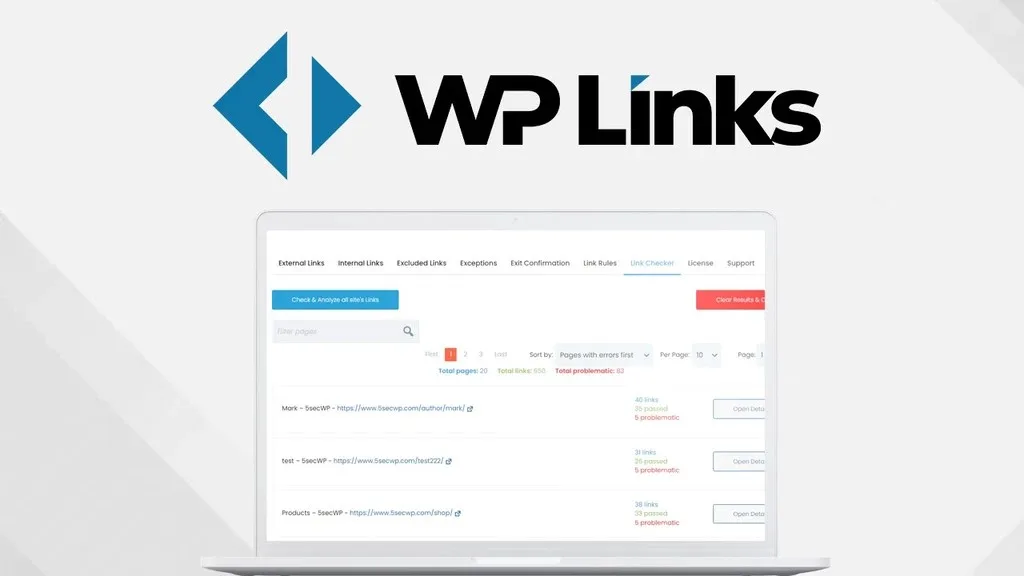
The SaaS based link scanner checks every outgoing link on your site, internal and external, to confirm it works, isn’t pointing to a bad destination, and carries the correct attributes for SEO purposes. Detailed reports make this manageable even on large sites with thousands of links.
Exit Confirmation
When a visitor clicks an external link and is about to leave your site, WP Links can show a customizable warning dialog. This protects your traffic and doubles as a security feature on sites with user-generated content.
Rebranding and White-Label Mode
Higher-tier plans let you rebrand the plugin entirely, changing the name, logo, colors, and text, without editing a single line of code. Agencies can present WP Links as their own tool to clients.
Who Should Use It
- Agencies managing multiple client WordPress sites that get added, migrated, or retired on a regular basis
- Freelancers who frequently spin up staging or demo sites and don’t want licenses locked to sites that no longer exist
- Site owners who need to verify that thousands of links have correct REL and TARGET attributes without checking each one by hand
- Anyone running user-generated content who wants to warn visitors before they click through to an external site
Things to Know Before Buying
- Site license limits vary by plan, so agencies with large client rosters should confirm the site count covers their needs
- Full site scan credits are capped per plan, meaning very large or frequent scanning needs may require a higher tier
- The white-label and full rebranding features are only available on certain plans, not the entry-level option
Frequently Asked Questions
Can I really move a WP Links license between sites myself?
Yes. Once you deactivate WP Links on a site, that license returns to your pool automatically. You can then activate it on another site right from the dashboard without contacting support.
Will WP Links slow down my site?
No. It does not load extra CSS or JS on the front end, except when the Exit Confirmation feature is actively enabled on a link.
Does WP Links make permanent changes to my site?
No. It does not modify files, databases, or content. If you disable the plugin, everything reverts to how it was before installation.
How much does WP Links cost?
Pricing depends on the plan and site license tier you choose. See the Lifetime Deal Details page for current pricing.