Subpage: Gate Files, Not Just Pages, for Real Leads
Most lead magnet tools gate the landing page but leave the actual PDF or file exposed once someone finds the direct link. Subpage locks down the file itself, so no one gets your content without submitting their info first.
What Is Subpage?
Subpage is a tool for building lead magnets and gating them so visitors have to submit their information before they can access the content. Most gating tools only protect the page that surrounds a file. They dress up a landing page with a form, but the actual PDF, checklist, or template often sits on a public URL that anyone can find, share in a Slack group, or stumble on through search. Once that link circulates, the gate around the page becomes pointless because the real value, the file, is already free.
Subpage closes that gap by gating the file layer itself, not just the page shell. A visitor cannot open the download until they fill out the form, no matter how they arrived at the link. This matters most for agencies, course creators, and marketers distributing swipe files, ebooks, or reports where the file is the actual product and the page is just packaging. It also handles the page-building side, letting you create the lead magnet itself with a block-based editor, no coding or design work required.
How Subpage Works
Build the Lead Magnet
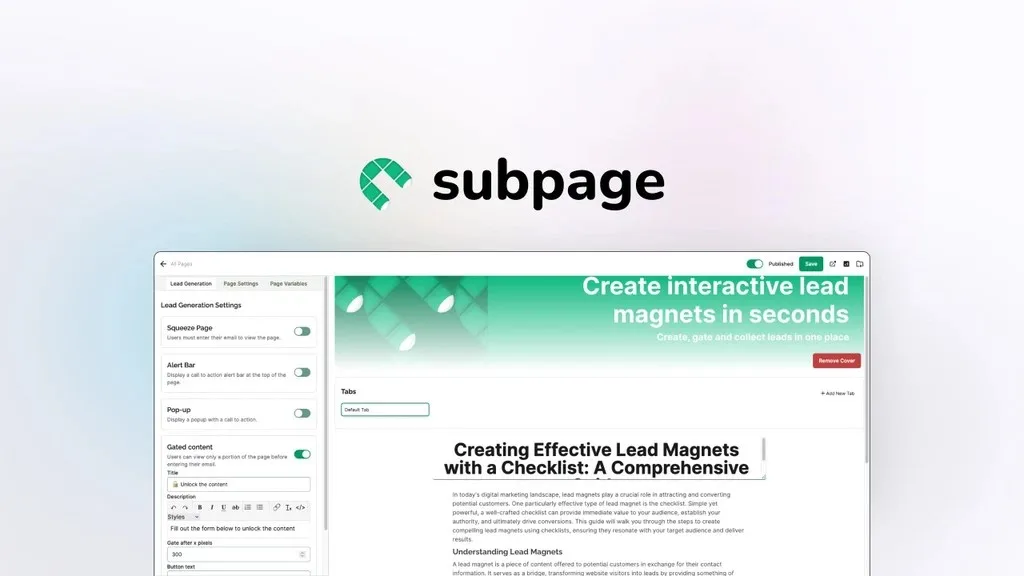
Subpage uses a Notion-like editor to build interactive pages without code or design skills. You can drop in text, images, and video, then adjust colors, fonts, and layout to match your brand. Subpage AI can also generate a multi-tab lead magnet in a few clicks if you want a faster starting point.
Gate the Page and the File
This is the core of what makes Subpage different from typical landing page tools. Instead of only gating the page visitors land on, Subpage can gate the file itself, so a direct link to the PDF or template still requires an opt-in. You can also add pop-ups, top bars, and other gating widgets, and customize the gating experience depending on the audience.
Manage and Analyze Leads
Every submission lands in a dashboard where you can track visitors, views, and conversions for each lead magnet. You can export leads as a CSV or send them straight into tools like Zapier for follow-up automation. This makes it easier to see which lead magnets are actually converting instead of guessing.
Connect Your Existing Tools
Subpage integrates with Zapier, webhooks, and other marketing tools so leads flow into the systems you already use. You can also link a custom subdomain and turn off Subpage branding, so the lead magnet looks like it lives on your own site. This keeps the experience consistent for visitors from click to download.
Customer Reviews
Subpage holds a 4.38 star rating from 34 reviews. Customers describe it as user-friendly, praise its AI features and affordability, though some mention limited advanced options and occasional reliability issues.
Who Should Use It
- Agencies and course creators who have had gated PDFs reshared for free in Slack groups or forums and want the file itself locked down
- Marketers who sell templates, swipe files, or reports where the file is the actual value and a gated page alone is not enough
- Content creators who want to build a lead magnet quickly without hiring a designer or writing code
- Founders building a sales funnel who want gated content to qualify leads before a sales conversation
Things to Know Before Buying
- Advanced customization options are more limited compared to full-featured landing page builders
- Some users have reported occasional reliability issues, so it is worth testing your specific use case during the refund window
- Subpage AI generation is limited by monthly credits per organization rather than unlimited use
- You will need to set up your custom subdomain or domain separately if you want to remove Subpage branding entirely
Frequently Asked Questions
Does Subpage gate the actual file or just the landing page?
Subpage can gate the file itself, not only the surrounding page. This means a direct link to a PDF or template still requires a visitor to submit their information before it opens.
Do I need design or coding skills to use Subpage?
No. Subpage uses a block-based editor similar to Notion, so you can build a page by dragging in text, images, and video without writing code.
Can I connect Subpage to my existing marketing tools?
Yes. Subpage integrates with Zapier and webhooks, and lets you export leads as a CSV, so you can plug captured leads into your current workflow.
How much does Subpage cost?
Pricing details, including any lifetime deal terms, are available on the Lifetime Deal Details page.
Related products
-

FlexiFunnels
Sales Funnel BuildersView Lifetime Deal DetailsFunnel SaaS subscription stack eliminator replacing 15+ monthly tools (page builder, course platform, email sequences, A/B testing, CDN hosting, analytics) with one lifetime-deal alternative, so you stop paying $400+/month to ClickFunnels + Kajabi + ConvertKit combined.