
LeadRocks: Clean Your Contact Lists Before You Send
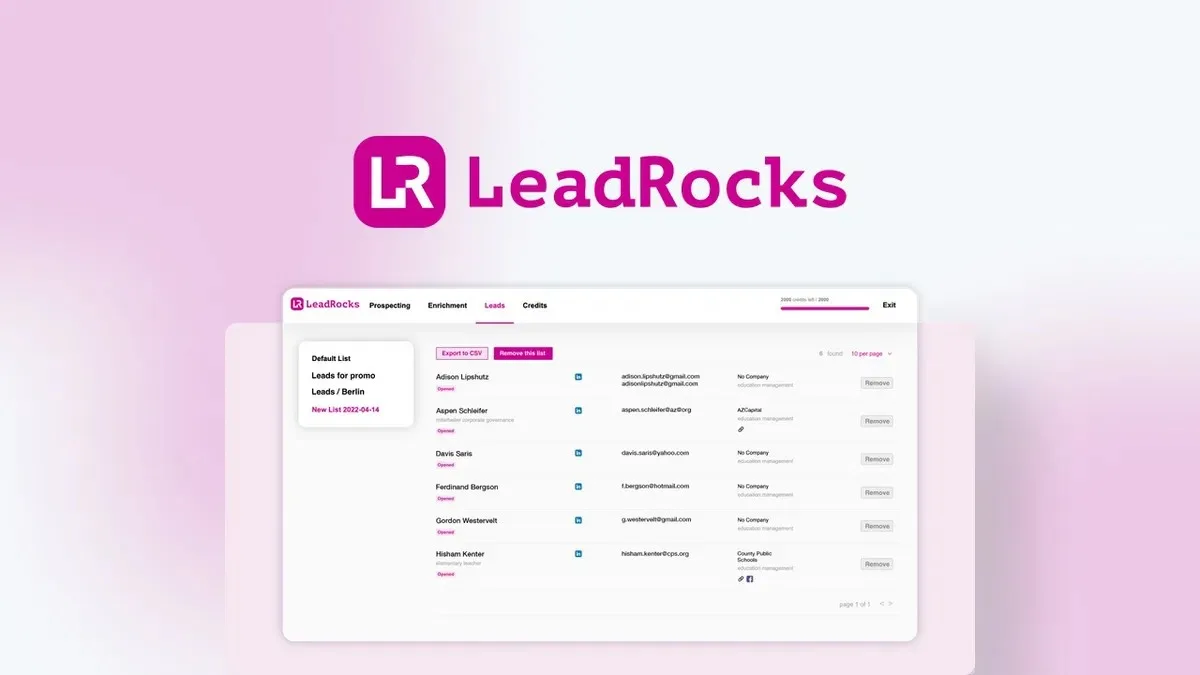
Already have a scraped list of LinkedIn URLs but no way to turn them into emails and phone numbers? LeadRocks lets you clean and validate an outside contact list before you ever hit send.
What Is LeadRocks?
LeadRocks is a B2B contact database and outreach tool built to solve a problem most sales and marketing teams run into eventually: they end up with a list of leads that came from somewhere else, and no easy way to tell if that list is any good. Maybe it’s a LinkedIn export, an old CRM dump, a list of business cards from a conference, or a spreadsheet a colleague handed off. These lists are usually stale, guessed at, or never verified in the first place, and sending email to bad addresses damages deliverability and sender reputation fast.
Most lead databases only verify the emails and phone numbers they generate internally, which leaves any outside list to fend for itself. LeadRocks closes that gap with a dedicated bulk verification flow. You upload your own list, and the platform checks it against its verification engine using separate credits that do not touch your main contact quota. This is especially useful if you inherited a messy list, bought data from another vendor, or built a list manually and need to know which addresses are safe to email before you launch a campaign.
How LeadRocks Works
Bulk Email Verification for Outside Lists
If you already have contact data from another source, LeadRocks lets you upload that list and run it through its verification engine using dedicated credits. This keeps your outside data separate from your core LeadRocks contact quota. You get a cleaned, validated file back that tells you which addresses are safe to use, so you are not guessing before a send.
Hyper-Targeted Lead Search
LeadRocks gives you access to a contact database with over 100 million records, searchable by job title, company name or URL, location, industry, and team size. You can drill down using smart filters to find the exact type of contact you need, then pull emails, phone numbers, and LinkedIn profiles in a few clicks.
LinkedIn Profile Enrichment
If you already have a list of LinkedIn URLs and need contact details to go with them, LeadRocks can enrich that list directly. Upload the file, and the platform returns matching emails and phone numbers pulled from its verified contact base. You can save the enriched results to a list or export straight to CSV.
Save, Organize, and Export Leads
Every search result or enrichment run can be saved into custom LeadRocks Lists so you are not starting from scratch each time. When you are ready to act on the data, export it to CSV or upload it directly into your CRM or automation tool of choice.
Email Outreach Automation
Beyond finding and cleaning contacts, LeadRocks includes tools to build personalized email campaigns with scheduled follow-ups. This covers cold outreach, sales sequences, onboarding, and nurturing campaigns, so you can move from a verified list straight into a live campaign without switching tools.
Who Should Use It
- Sales teams that inherited a contact list from a previous rep, vendor, or acquisition and need to know which addresses are still valid before emailing them
- Marketing agencies running outreach for multiple clients who need a fast way to search and verify B2B contacts without building a list from scratch every time
- Recruiters who rely on LinkedIn for sourcing and need emails or phone numbers attached to profiles they have already identified
- Sales managers who want a centralized place to search, enrich, save, and export leads instead of juggling several point tools
Things to Know Before Buying
- LeadRocks does not currently offer direct CRM integrations; exporting to CSV and importing into your CRM is the workaround
- Contact credits, email verification credits, and outreach seats are tied to specific plan tiers, so higher-volume users will need to plan around monthly credit limits
- Search filters are limited to job title, company, location, industry, and team size, which may not be granular enough for highly specialized prospecting needs
Frequently Asked Questions
Can LeadRocks verify a list I did not build inside the platform?
Yes. LeadRocks supports bulk verification of outside lists using separate verification credits, so you can clean data from another source without merging it into your main contact database.
Does LeadRocks integrate with my CRM?
Not directly. You can export verified and enriched contact data to a CSV file and import it into whatever CRM or automation tool you use.
Is the data LeadRocks provides compliant with data protection laws?
LeadRocks collects only business-related data from official and legal sources, which is designed to align with GDPR requirements.
How much does LeadRocks cost as a lifetime deal?
Pricing details, including credit allowances and available plan tiers, are listed on the Lifetime Deal Details page.
Related products
-

Laxis AI Prospect Research
Sales Intelligence ToolsView Lifetime Deal DetailsAI prospect research platform converting 3-hour pre-call preparation marathons into 30-second intelligence briefs by pulling real-time hiring signals, funding news, and product launches from 325M+ contacts so reps spend time selling instead of Googling companies before discovery calls.














