360contentOPS: One Workflow, Brief to Published Post
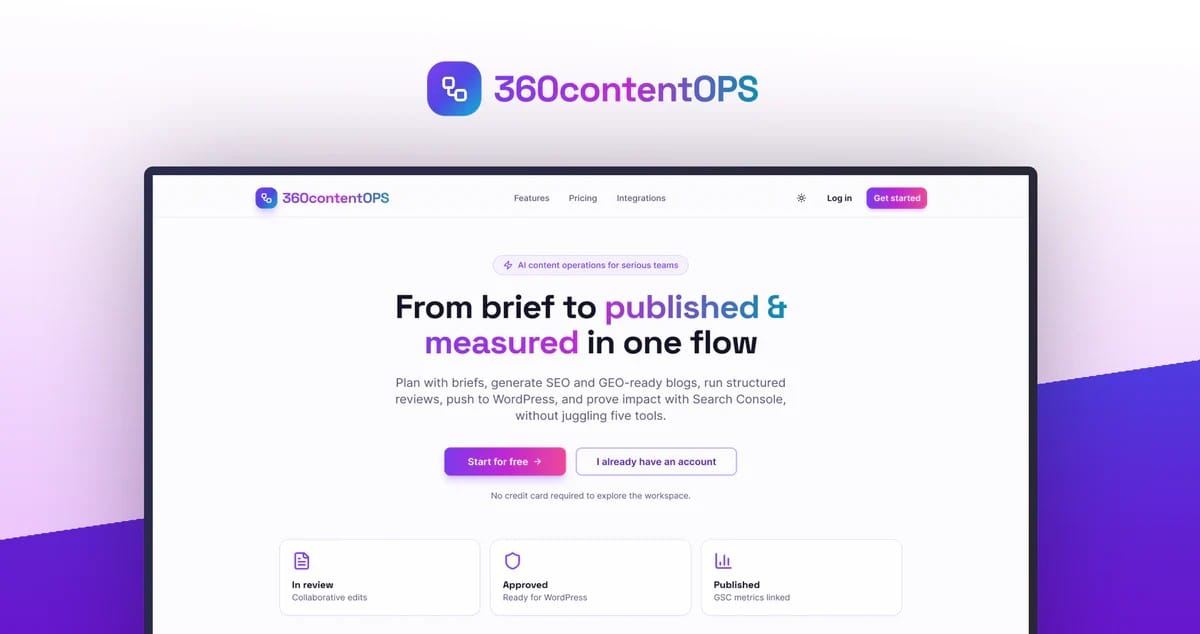
Stop losing published blog URLs in email threads and browser tabs. 360contentOPS stores every live permalink inside your workspace so teams always know what went live and where.
What Is 360contentOPS?
360contentOPS is an AI-powered content operations platform that takes a team from content brief to published post to performance tracking, all in one workspace. Content teams often publish dozens of posts a month, but keeping track of which URLs actually went live becomes a mess. Links get buried in Slack threads, lost in spreadsheets, or forgotten in someone’s browser history, and finding them again wastes hours that should go toward creating more content.
Instead of treating publishing as the finish line, 360contentOPS treats it as a data point. Every piece of content moves through structured briefs, drafting, review, and approval, and once it’s published to WordPress, the live permalink is automatically captured and stored on that blog’s record. This means the brief, the draft history, the live URL, and the performance data all live in the same searchable place, so nobody has to ask where something went or dig through five tools to find out.
How 360contentOPS Works
Permalink and Performance Tracking
Once a post publishes to WordPress, its live URL is saved directly on that post’s record inside the workspace, so the link never has to be manually copied into a spreadsheet or shared over chat. Connecting Google Search Console adds clicks, impressions, and average position for every published URL, giving teams a performance view tied to the exact brief and draft that produced it, instead of a separate report someone has to go build.
Structured Briefs and Workflow
Content starts as a brief inside the workspace, then moves through drafting, review, and approval before anything gets published. Roles for writers, reviewers, and compliance keep the process organized so nothing skips a step, and boards with statuses make it clear where a piece is stuck and who needs to unblock it.
AI-Assisted Writing for SEO and GEO
Drafts are generated with AI assistance built for two different goals: classic SEO posts aimed at ranking in traditional search, and structured content tuned for how AI assistants and answer engines cite sources. Teams working on both fronts don’t need separate tools or separate workflows to produce either kind of content.
WordPress Publishing Across Multiple Sites
Application passwords connect the workspace to WordPress, and approved posts publish directly from the board without switching platforms. Support for multiple WordPress sites means teams managing several brands or projects can handle publishing for all of them from a single workspace instead of logging into each site separately.
Who Should Use It
- Solo creators who want a structured way to plan, write, publish, and measure content without stitching together separate tools for each step
- Content teams running weekly publishing cycles who need to stop losing track of what went live and where
- Agencies and larger teams that need governance, review roles, and approval steps built into the workflow rather than managed over chat
- Teams publishing across multiple WordPress sites or brands who want one workspace instead of separate logins for each
Things to Know Before Buying
- Publishing integration is built specifically for WordPress; there’s no mention of support for other CMS platforms
- Performance tracking and keyword research data depend on connecting Google Search Console; without that connection, reporting features are unavailable
- Setting up WordPress publishing requires creating an Application Password in WordPress first, which adds a short setup step before the first post can go live
Frequently Asked Questions
Does 360contentOPS replace my existing CMS?
No. It connects to WordPress and publishes to it; WordPress remains the CMS, and 360contentOPS handles the brief, drafting, review, and tracking around that publishing step.
Do I need Google Search Console to use it?
Connecting GSC is optional but recommended. Without it, you can still plan, write, review, and publish content; connecting it unlocks keyword research data and performance reports for the URLs you’ve published.
Can one workspace manage more than one website?
Yes. 360contentOPS supports verifying and saving multiple WordPress sites, so teams can manage publishing across different brands or projects from the same workspace.
How much does 360contentOPS cost?
See the Lifetime Deal Details page for current pricing and tiers.
Related products
-

Writecream: Turn YouTube Videos Into SEO Articles
AI Content Creation And Optimization ToolsView Lifetime Deal DetailsWritecream turns your existing YouTube videos into structured, SEO-optimized articles in minutes, so you capture Google traffic without extra filming or writing. No more paying freelancers to repurpose video content you already own.
-
Rayo
AI Content Creation And Optimization ToolsView Lifetime Deal DetailsAI blog platform that learns your business, products, and brand voice from your website URL so every article sounds on-brand without writing content briefs, eliminating the generic AI fluff that sounds nothing like your company and mentions products you don’t even sell.
-

Writeseed: Turn Links & PDFs Into SEO Articles Fast
AI Content Creation And Optimization ToolsView Lifetime Deal DetailsNeed to turn a client’s PDF or competitor blog into a fresh article fast? Writeseed generates full blog posts directly from links and PDFs, skipping the manual copy-paste work entirely.
-
Zenith Write: Content at Scale Without Token Limits
AI Content Creation And Optimization ToolsView Lifetime Deal DetailsContent tools stall you at fixed word counts or hourly caps once you need real volume. Zenith Write generates large batches without token-limit bottlenecks, so scaling output does not mean hitting a wall.