WPAutoBlog: Automate SEO Blog Posts on WordPress
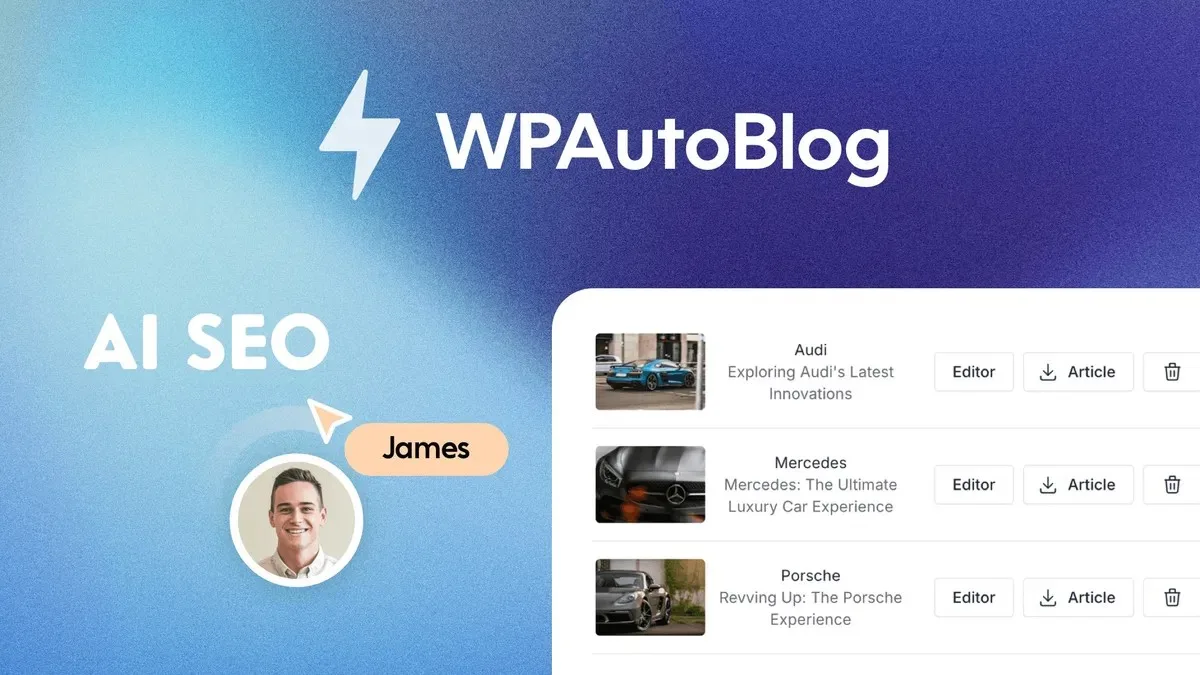
New blog posts often sit orphaned on your site, disconnected from everything else you have published. WPAutoBlog fixes this by scraping your sitemap and weaving internal links into every AI-generated article it publishes.
What Is WPAutoBlog?
WPAutoBlog is an AI content engine that writes and publishes SEO-optimized articles directly to your WordPress blog, while automatically connecting each new post to your existing content through internal links. Most autoblogging tools generate an article and drop it onto your site with zero regard for what else you have already published. That leaves hundreds of posts sitting isolated from each other, each competing on its own instead of reinforcing a shared topic.
This matters because manually auditing a sitemap and adding contextual links to old posts is tedious work that most teams skip entirely. WPAutoBlog solves this by analyzing your sitemap during article generation and placing links to relevant existing pages inside every new post, with no manual selection or plugin configuration required. It turns a scattered archive of disconnected posts into a structure search engines can crawl and understand more easily.
How WPAutoBlog Works
Automatic Internal Linking
WPAutoBlog scrapes your sitemap and inserts links to related existing pages into every article it generates. This happens automatically in the background, not as a separate task you have to remember. New content gains contextual links from the moment it is published instead of sitting orphaned until someone manually updates old posts.
AI Article Generation at Scale
Generate long-form articles from titles, keywords, or descriptions, with support for over 50 languages. Articles can exceed 2,000 words and are structured with proper heading tags for readability and search visibility. Content includes options like tables, key takeaways, and embedded videos.
Keyword and Topic Cluster Research
A built-in keyword research tool surfaces search volume, cost-per-click, and keyword difficulty so you know what is worth targeting before you write. The topic cluster generator takes your niche and produces a list of related content ideas, helping you build the kind of deep topical coverage that strengthens domain authority over time.
WordPress and SEO Plugin Integration
Connect unlimited WordPress sites and schedule posts across all of them from one place. WPAutoBlog integrates with Yoast, Rank Math, SEOPress, Squirrly SEO, SEO Framework, and SmartCrawl, automatically syncing meta-titles, descriptions, and focus keywords so you do not have to configure each plugin separately.
Customer Reviews
WPAutoBlog holds a 4.7 out of 5 rating from 163 reviews. Customers frequently mention efficient article generation, smooth WordPress integration, and the smart scheduling system. Some feedback points to room for improvement in image selection and content depth, though most reviewers describe measurable traffic growth after ongoing use.
Who Should Use It
- Bloggers who publish frequently and need new posts to connect with their existing archive instead of sitting isolated
- Marketing agencies managing content across many client WordPress sites who need linking and scheduling handled without manual work per site
- Small business owners who want consistent SEO content without hiring a writer or an agency
- Anyone who has let internal linking slide in favor of raw publishing volume and wants that structure fixed automatically
Things to Know Before Buying
- Your WordPress site needs REST API access enabled, which is the default setting but can be blocked by some security plugins
- Content depth and image selection have been noted by some reviewers as areas that could improve
- Plans differ in the number of keyword searches and articles allowed per month, so check which tier matches your publishing volume
- Reviewing AI-generated drafts before publishing is worth doing if you want the content to fully match your brand voice
Frequently Asked Questions
How do I connect my WordPress site to WPAutoBlog?
Download the WPAutoBlog plugin, upload it through your WordPress plugin page, and activate it. Once active, it syncs automatically with your installed SEO plugins and manages post meta fields without extra setup.
Can WPAutoBlog publish in languages other than English?
Yes. It supports content generation, including keyword research, in over 50 languages, so you can reach audiences well beyond an English-speaking market.
What happens if my site stops receiving posts from WPAutoBlog?
This usually points to a connection issue, such as an incorrect site URL, REST API restrictions, or a security plugin blocking the link. The documentation covers troubleshooting steps for each of these cases.
How much does WPAutoBlog cost?
Pricing depends on the plan and how many websites and articles per month you need. Check the Lifetime Deal Details page on this listing for current pricing.
Related products
-
WordHero: AI Content That Actually Ranks
AI Content Creation And Optimization ToolsView Lifetime Deal DetailsWriting content that reads well is easy, but writing content that actually ranks in Google requires keyword strategy most AI writers ignore. WordHero builds SEO structure into every draft instead of leaving it for a second workflow.
-
360contentOPS: One Workflow, Brief to Published Post
AI Content Creation And Optimization ToolsView Lifetime Deal DetailsStop losing published blog URLs in email threads and browser tabs. 360contentOPS stores every live permalink inside your workspace so teams always know what went live and where.
-

Rayo
AI Content Creation And Optimization ToolsView Lifetime Deal DetailsAI blog platform that learns your business, products, and brand voice from your website URL so every article sounds on-brand without writing content briefs, eliminating the generic AI fluff that sounds nothing like your company and mentions products you don’t even sell.
-
SuperCopyai
AI Content Creation And Optimization ToolsView Lifetime Deal DetailsBrand voice drift detector revealing which team members are generating off-brand AI content because they’re not using shared personas, so you centralize audience definitions and stop producing inconsistent messaging across channels.